Running the SAS Viya Copilot Extension
The SAS Viya Copilot extension includes commands to generate code from a comment, add comments to existing code, and explain code.
Generating Code
To generate SAS code from a comment:
-
Open a SAS program file, or create a new file using SAS language mode.
-
Position the cursor in a SAS comment statement or select a comment block. SAS comments start with
/*and end with*/. -
Click Generate code. The available generated code options will be displayed as gray inline code. Select the code that you want to use from the options.

To generate code from a longer, multi-line comment, select the entire comment and then select Generate code.

Adding Comments
To add comments to an existing block of SAS code:
-
Open a SAS program file, or create a new file using SAS language mode.
-
Select a block of SAS code and click Add comments. The selected code block is replaced with a block of commented code.

Explaining Code
To generate an explanation of a block of SAS code:
-
Open a SAS program file, or create a new file using SAS language mode.
-
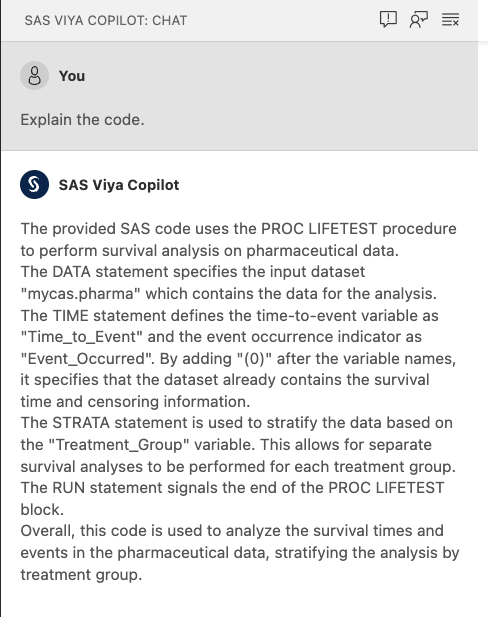
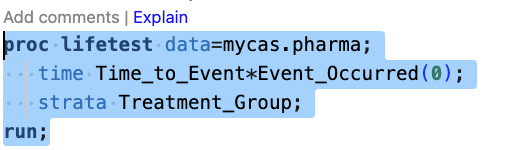
Select a block of SAS code and click Explain.
The explanation of the code block is displayed in the SAS Viya Copilot conversation pane on the left side of the application window.