Alternative Ways to Run Commands
Context Menu
You can run any of the SAS Viya Copilot commands by right-clicking a selected block of code or comments and selecting a command from the context menu.
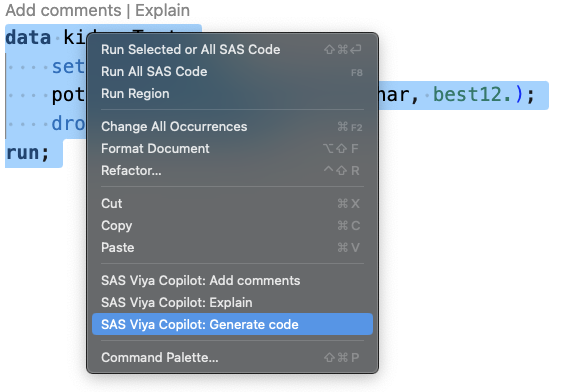
Visual Studio Code Command Palette
To run SAS Viya Copilot commands with the Command Palette:
-
Select a block of code or comments.
-
Select View > Command Palette.
note
Microsoft Windows users can also press Ctrl + Shift + P to open the Command Palette. Apple OS X users can press Command + Shift + P to open the Command Palette.
- Enter “SAS Copilot” in the search box to display the available commands and click the command that you want to use.