OCR - Azure AI Document Intelligence
This custom step was previously known as 'OCR - Azure AI Document Intelligence Table Extraction'
This custom step uses the Azure AI Document Intelligence service to perform different types of OCR on files that are stored on the SAS file system. What is Azure AI Document Intelligence?
✨ Features
- ✅ Text Extraction (words / lines / paragraphs / pages / document)
- ✅ Form Extraction (key-value pairs)
- ✅ Query Extraction (extraction of specified keys)
- ✅ Table Extraction
- ✅ Local Container Support
📖 Contents
💻 User Interface
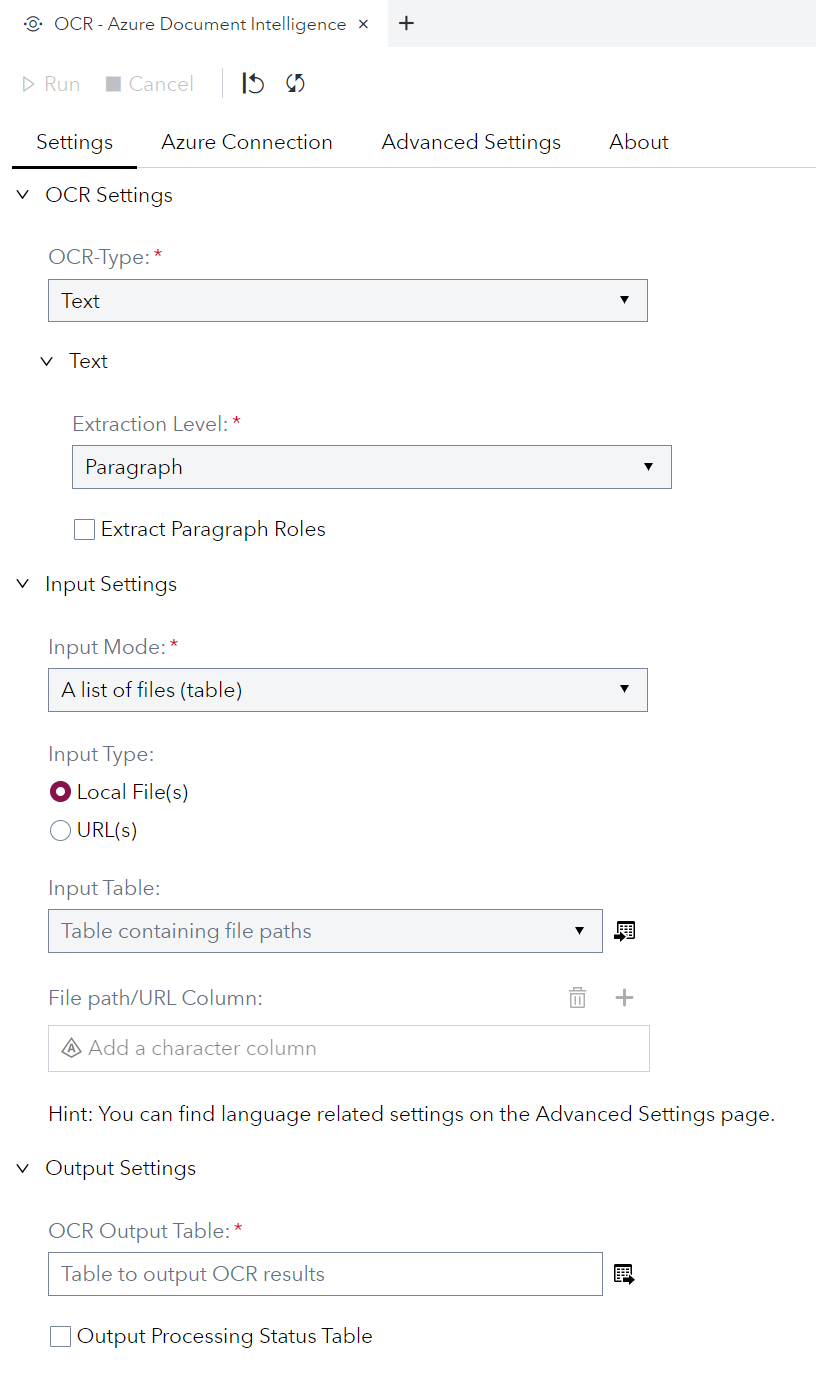
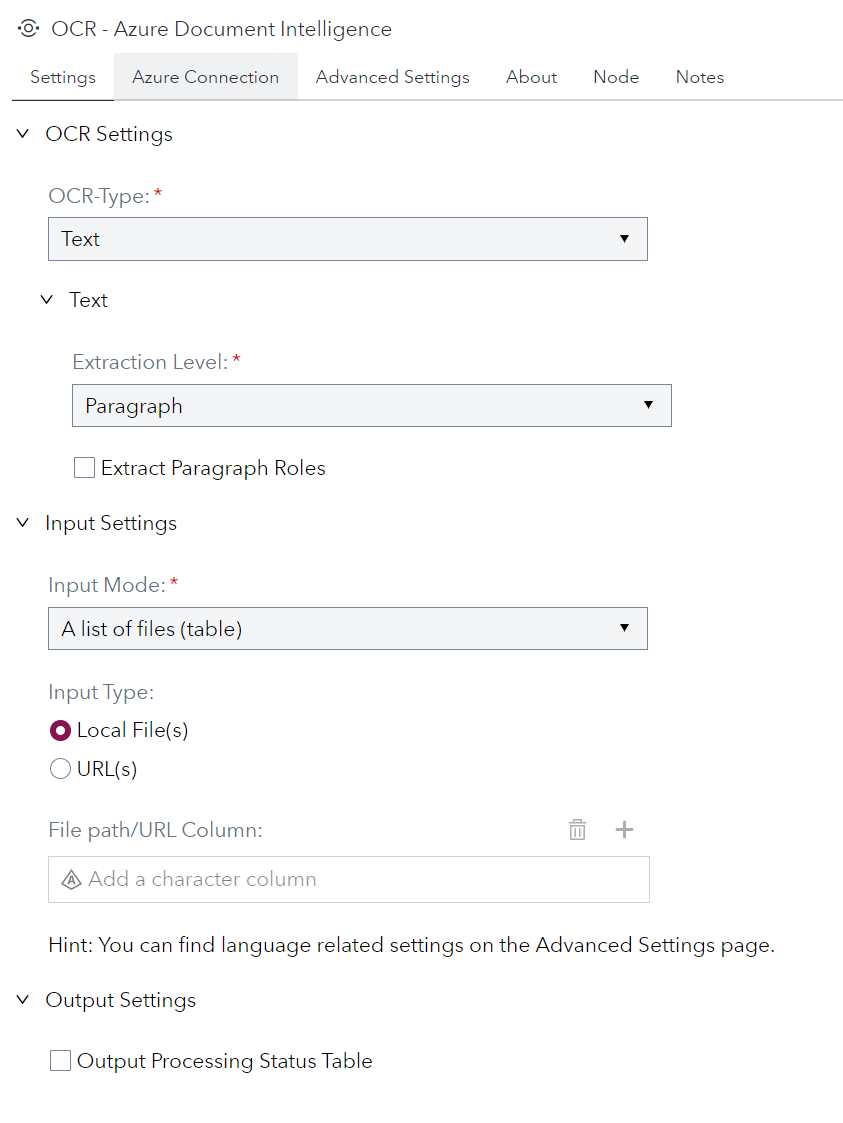
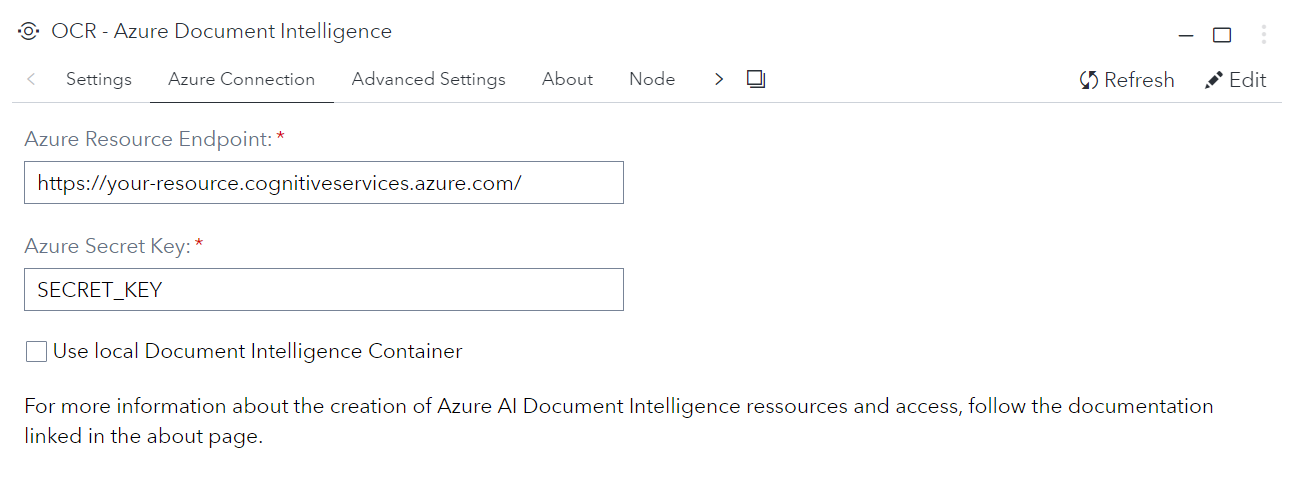
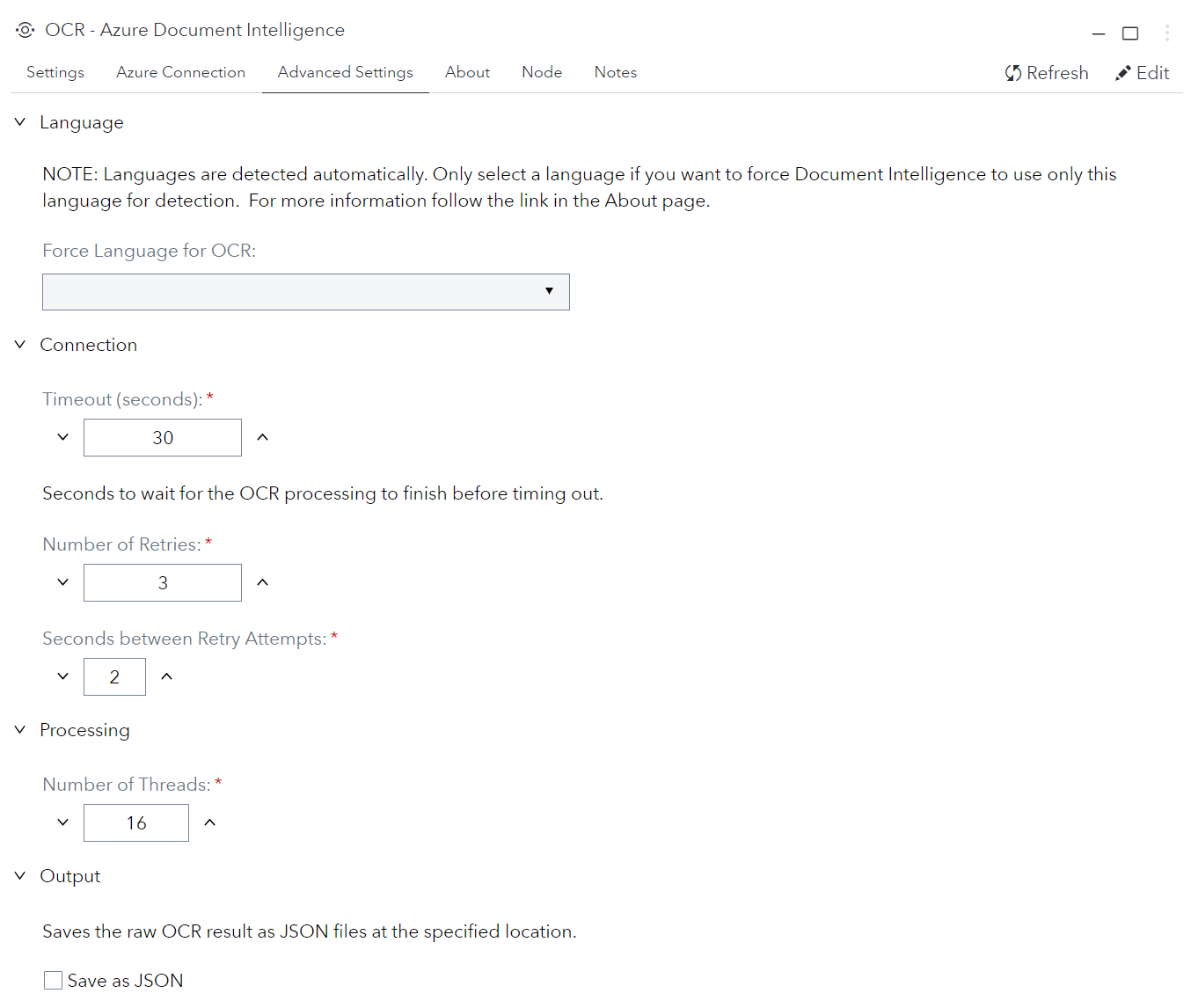
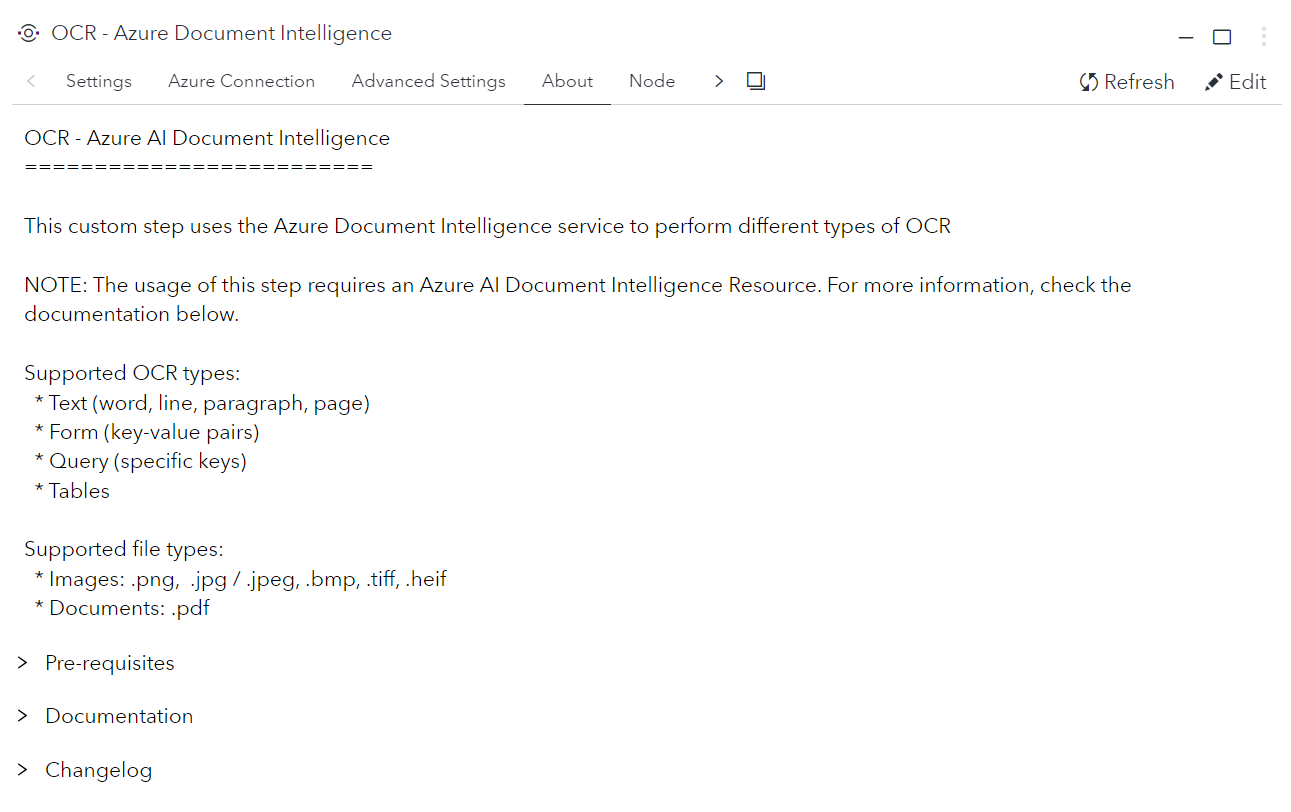
Note: if there are no links shown under
Documentation, then ask your SAS administrator to go into SAS Environment manager and use the Configuration panel to configure theallowedStepLinksoption of the Data Flow service to allow https connections. You can learn more in this SAS community article.
👩💻 Usage
📺 Tutorial (👇Click Thumbnail👇)
Note: This step works great with the Create Listings of Directory - CLOD custom step to create the input file-list based on a folder of documents.
Feature Matrix
| File Formats | OCR Processing | ||||
| Extraction | Image1 | URL | Azure2 | Local Container3,4 | |
|---|---|---|---|---|---|
| Text | ✅ | ✅ | ✅ | ✅ | ✅ |
| Form | ✅ | ✅ | ✅ | ✅ | ✅ |
| Query | ✅ | ✅ | ✅ | ✅ | |
| Table | ✅ | ✅ | ✅ | ✅ | ✅ |
$^1$ JPEG/JPG, PNG, BMP, TIFF, HEIF
| $^2$ API-Version 2023-10-31-preview (4.0)
| $^3$ API-Version 2022-08-31 (3.0)
$^4$ Only supports General Document Model / Container
Test data
Pro Tip: Take a photo with your smartphone, make a screenshot of a document or export a PowerPoint slide as image / PDF.
📋 Requirements
Tested on SAS Viya version Stable 2024.02
🐍 Python
📦 Packages
🤖 Azure AI Document Intelligence Resource
To use this step the endpoint and key for an Azure Document Intelligence Resource is needed. 👉 Create a Document Intelligence resource
⚙️ Settings
General
| Parameter | Required | Description |
|---|---|---|
| OCR Type | Yes | Defines the type of Optical Character Recognition (OCR) to use |
| Input Mode | Yes | Indicates if processing a list of files or a single file |
| Input Type | Yes | Indicates if local documents or document URLs are used as input |
| File Path | No* | The file path for processing a single file |
| Input Table | No† | The name of the table containing file paths/URLs for batch processing |
| Path Column | No† | The column in the input table that contains the file path/URL |
* Required if Input Mode is set to "single".
† Required if Input Mode is set to "batch".
Text Settings
| Parameter | Required | Description |
|---|---|---|
| Granularity | Yes | Defines granularity of the text output (e.g. word, line, paragrpah, page). Has implications regarding extraction output (e.g. 'role' only for paragraphs, 'confidence' only for words/pages)
|
Query Settings
| Parameter | Required | Description |
|---|---|---|
| Query Fields | Yes | List of keys that are used as queries in the extraction process. |
| Exclude Metadata | No | If set to 'yes', all meta information from the extraction will be ignored, and the output will only contain a column per key and a row per file. |
Table Settings
| Parameter | Required | Description |
|---|---|---|
| Table Output Format | Yes | Defines the output format for table extraction:
|
| Table Output Library | No* | Defines the output library for extracted. tables |
| Select Tables | No† | Defines if a table per document is selected. |
| Table Selection Method | No | Defines the method to select the table per document that is extracted:
|
| Table Index | No‡ | Table index to extract. |
* Only available if Table Output Format is set to "reference".
† Defaults to true when Table Output Format is "table".
‡ Required if Table Selection Method is set to "index"
🔐 Azure
| Parameter | Required | Description |
|---|---|---|
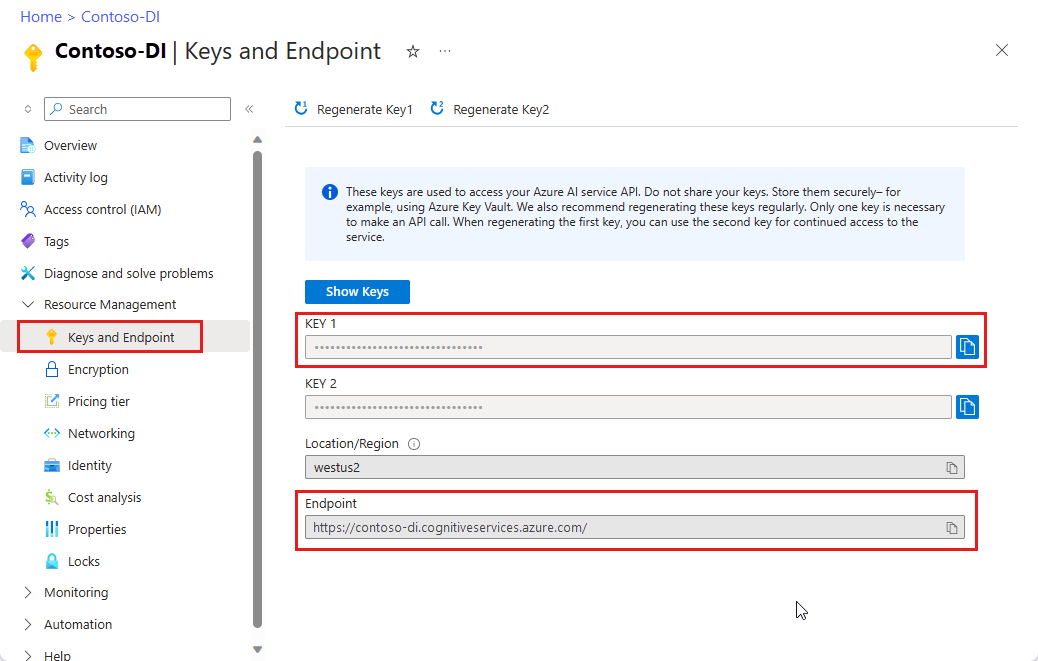
| Endpoint URL | Yes | AI Document Intelligence Resource Endpoint |
| Key | Yes | Secret Key |
| Local Container | No | Whether or not to use a locally deployed Document Intelligence container. Please make sure to deploy the General Document container. |
| Container Endpoint | No* | URL and Port of the locally deployed container. |
* Required if Local Container is set to True.
👉Where to find resource key and endpoint
🧙♂️ Advanced
| Parameter | Required | Description |
|---|---|---|
| Force Language | No | Option to force Document Intelligence to use only a specific language for OCR. Note: Languages are detected automatically by default. |
| Timeout† | No | How many seconds to wait for the OCR process to finish for document before timing out. |
| Number of Retries | No | How many retries attempts before a document is skipped |
| Seconds between retries | No | How many seconds between retry attempts |
| Number of Threads | No | How many Python threads will be used to process all files. |
| Save as JSON | No | Whether to save the raw output as JSON (one file per document) |
| Output Folder | No* | Folder for the JSON files. |
† Note: Make sure to set this high enough if your documents are excessively large.
* Required if Save as JSON is set to true.
📚 Documentation
- What is Azure AI Document Intelligence?
- Azure AI Document Intelligence documentation
- Pricing
- Language Support
- Data Privacy
- Install and Run Local Document Intelligence Containers
📝 Change Log
Version 2.0 (22MAR2024)
- Renamed to "OCR - Azure AI Document Intelligence"
- Added support for text, form and query extraction
- Added support for extracting multiple tables at once
- Added support for processing multiple files at once
- Added support for local document intelligence container
- Added option to output status table
- Added multithreading
- Upgraded used API version to Document Intelligence 4.0
Version 1.0 (02JAN2024)
- Initial Version