Glossary - Import Terms
Description
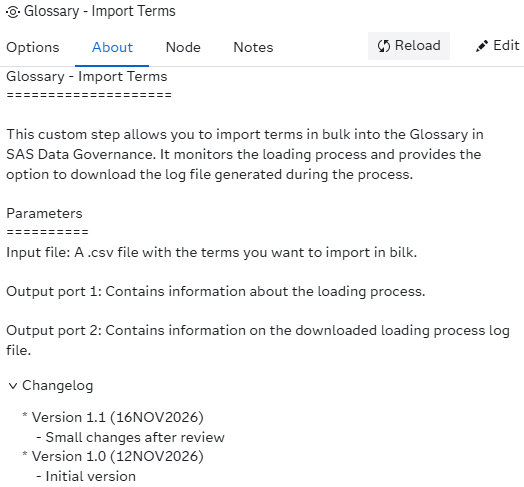
This custom step allows you to import terms in bulk into the Glossary in SAS Data Governance. It monitors the loading process and provides the option to download the log file generated during the process.
Documentation used
The following documentation is used while creating the custom step:
SAS Viya version support
This custom step is created and tested using Viya 4, Stable 2026.09
Important
A user of this custom step needs to be a member of either SASAdministrators or Glossary Administrators Custom Groups.
User Interface
Tab: Options
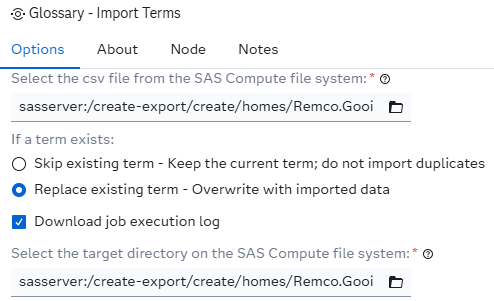
- Select the csv file from the SAS Compute file system: Here you need to select the file containing the terms you want to load into the glossary in bulk. Note that the custom step only supports folders on the SAS Server (not SAS Content).
- Skip existing term - Keep the current term; do not import duplicates If selected the loading process will skip existing terms.
- Replace existing term - Overwrite with imported data If selected the loading process will replace the existing term with information from the selected csv file.
- Download job execution log Optionally you can download the log generated by the loading process.
- Select the target directory on the SAS Compute file system: Here you need to select the directory where the log file will be written to. This option becomes available when the Download job execution log option is checked.
Note that the custom step only supports folders on the SAS Server (not SAS Content).
Tab: About
Output port: _output01
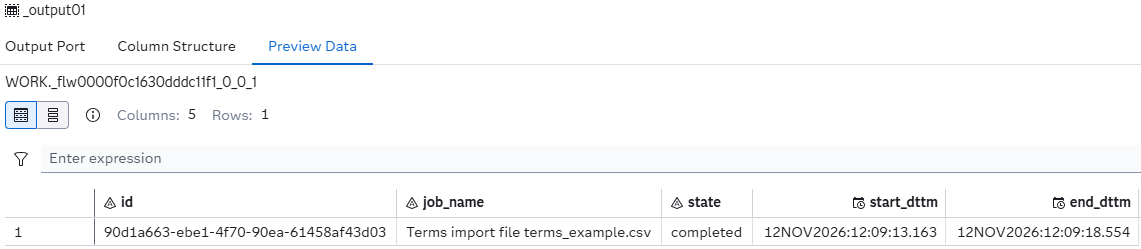
This output table gives you information about the import process. An example of the output is the following:
The custom steps has got two output ports:
Output port: _output02
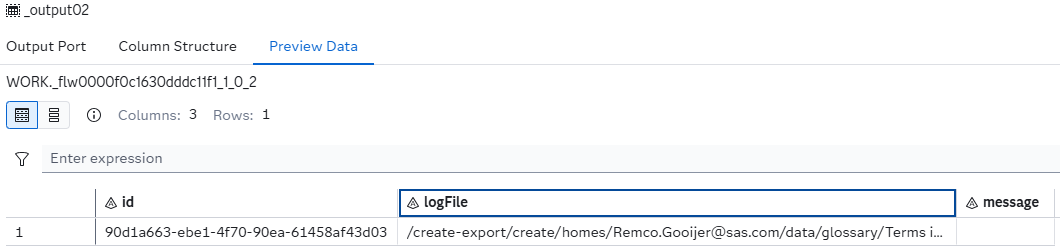
This output table contains information on the downloaded log file, generated by the import process. If downloading the log file was successful, the column logFile contains the name and location of the downloaded log file. If, for some reason, the custom step wasn't able to download the log file, you will see in the message column the reason. An example of the output is the following:
Usage
Download the .step file, upload it into your environment and start using it, for example, as show:
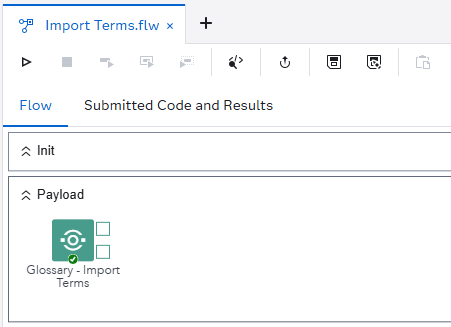
Notes
- The naming convention for the log file is: <job name>_<account name>_<start date/time>.log, which is the same as for the environment manager.
- The custom step only supports physical directories. SAS Content locations are not supported. When a SAS Content location is selected, the custom step will simply not run and gives a message.
Custom step messages
| # | Step message | Reason | Result |
|---|---|---|---|
| 1 | ERROR: No response file encountered. | The custom step didn't get a response file from the importTerms endpoint. | The custom step will abort the process. |
| 2 | ERROR: Unable to update the status table. No response file encountered. | The custom step didn't get a response file from the jobExecution endpoint. | This might be a hick-up. The code will perform a retry |
| 3 | ERROR: The status table, &_output01, does not exist. | The first output table doesn't exist. | The custom step will abort the process. |
| 4 | ERROR: Please select a file located on the SAS Server. SAS Content folders are not supported by this custom step. | The custom step only supports physical locations. | The custom step will abort the process. |
| 5 | ERROR: No job execution id available. Unable to download the a log file. | The custom step wasn't able to retrieve the job execution id from the first output table. | No further processing is performed. |
Change Log
- Version 1.0 (12NOV2026)
- Initial version