Export - Parquet
Description
The Export - Parquet custom step allows SAS Studio users to export a SAS dataset to Parquet file(s) on a file system using the SAS Viya LIBNAME Engine for Parquet.
All relevant LIBNAME options (folder, compression type, filename extension) and data set options (partition type, partition by) are available in the custom step dialog.
The custom step also includes options to:
- Delete output data if it already exists
- Cast SAS character variables to Parquet logical STRING type for compatibility with other Parquet data consumers
If the Python PyArrow module is available, the Parquet schema and files metadata will be reported in the log.
Limitations:
- Does not support export to AWS S3, ADLS or GCS object storage. For export to ADLS, do check out the ADLS File Writer custom step by Alfredo Lorie
User Interface
Options tab
| Standalone mode | Flow mode |
|---|---|
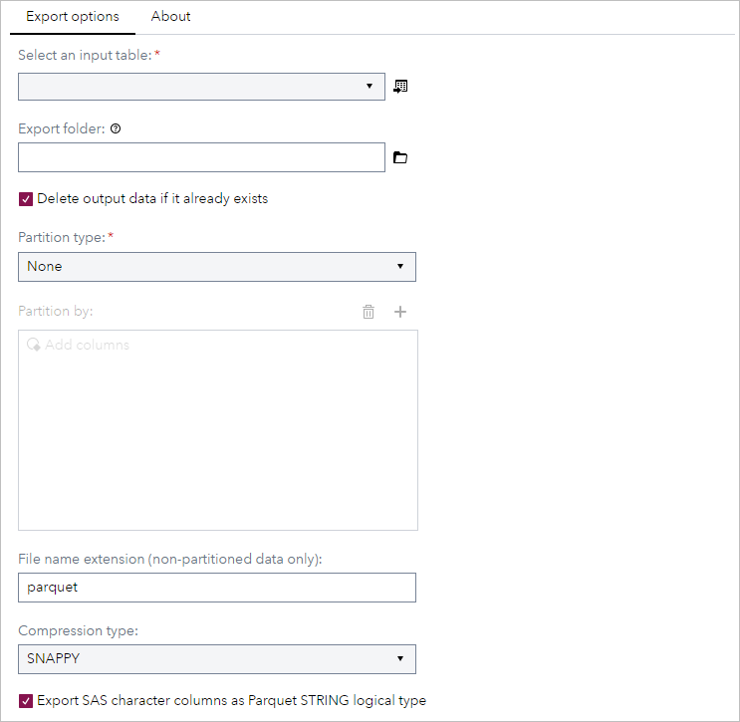 | 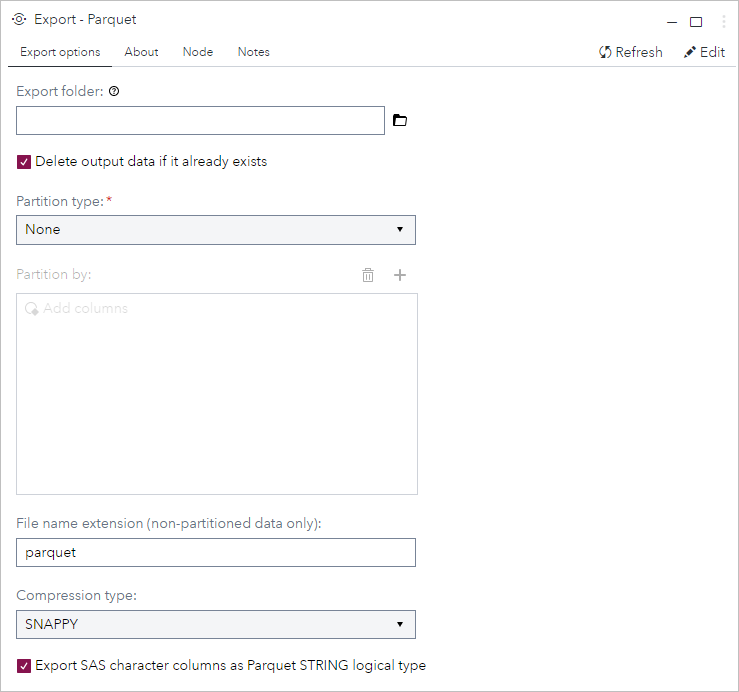 |
About tab
| Standalone & flow mode |
|---|
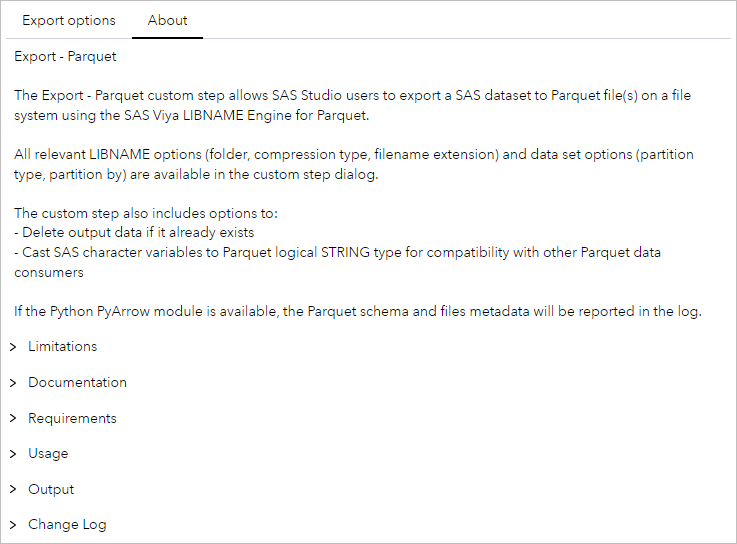 |
Requirements
Tested on SAS Viya version Stable 2023.11, with Python 3.9.16 and PyArrow 13.0.0.
- Requires SAS Viya 2023.10 or above (the DBTYPE option was added in 2023.10)
- Python must be configured on the SAS Viya platform
- PyArrow is not required, but if module is installed, Parquet metadata will be reported in the log
Usage
Demo
This short demo shows how to export the SASHELP.PRDSAL3 data set to Parquet files, partitioned by the COUNTRY column using the FILENAME partition type.
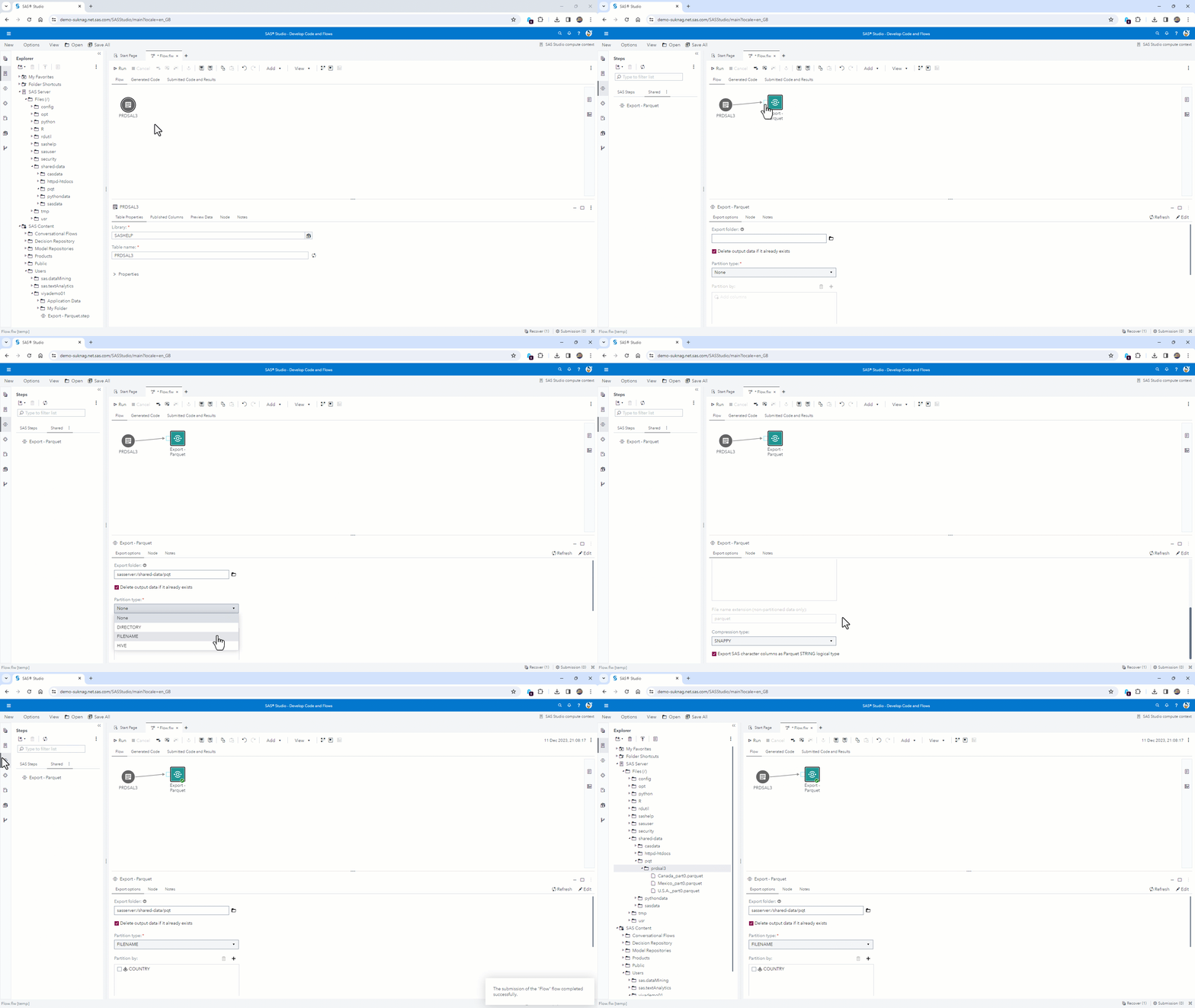
Custom step options
| Field | Default | Description |
|---|---|---|
| Input table | None | Input table, connect using the input port in the Flow |
| Export folder | None | Target folder for the output data. See notes on output file naming below |
| Delete output data if it already exists | True | The target location must be empty for partitioned data. Check this box to delete data in the export folder if it exists |
| Partition type | None | Can be DIRECTORY, FILENAME, HIVE. Details in the PARTITION_TYPE option documentation |
| Partition by | - | One or more columns that determine the table's partitions. Details in the PARTITION_BY option documentation |
| File name extension (non-partitioned data only) | parquet | Specifies the file extension for SAS to write Parquet files. Details in the FILE_NAME_EXTENSION option documentation |
| Compression type | SNAPPY | Controls the compression type. Details in the COMPRESS option documentation |
| Export SAS character columns as Parquet STRING logical type | True | If set, this option will cast SAS dataset character variables to Parquet STRING logical type. (By default, the SAS LIBNAME Engines for Parquet uses a BYTE_ARRAY) |
Output
Using the example in the demo video above, if the SASHELP.PRDSAL3 data set is exported to the folder /shared-data/pqt, the following files are created with each partition type:
| Partition type | Example output files |
|---|---|
| None | ./prdsal3.parquet |
| DIRECTORY | ./prdsal3/Canada/part0.parquet ./prdsal3/Mexico/part0.parquet ./prdsal3/U.S.A./part0.parquet |
| FILENAME | ./prdsal3/Canada_part0.parquet ./prdsal3/Mexico_part0.parquet ./prdsal3/U.S.A._part0.parquet |
| HIVE | ./prdsal3/COUNTRY=Canada/part0.parquet ./prdsal3/COUNTRY=Mexico/part0.parquet ./prdsal3/COUNTRY=U.S.A./part0.parquet |
Change Log
- Version 1.0 (15DEC2023)
- Initial version