DQ - Match Code
ACCESS THE CUSTOM STEP FOLDER
Description
note
The Match Codes step in the Data Quality group in the Steps pane in SAS Studio, introduced in release 2023.08, provides the same functionality, and it is highly recommended to use that step going forward.
The DQ - Match Code step allows you to create a column match code based on locale and rule definition using a dqMatch function in the SAS Compute Server.
- This version uses SASDQREF tables, supports all Locales defined in the QKB and allows to generate match code for up to 10 columns.
- Prompts take advantage of dynamic prompt lists (SASDQREF) and hierarchies
User Interface
-
MatchCode Options tab
Standalone mode Flow mode 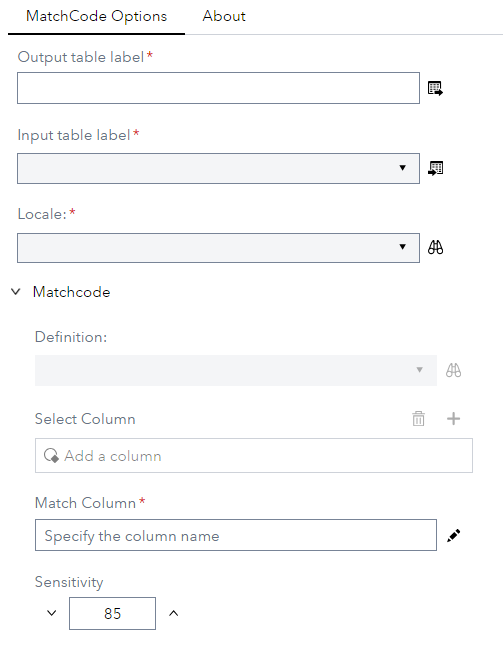
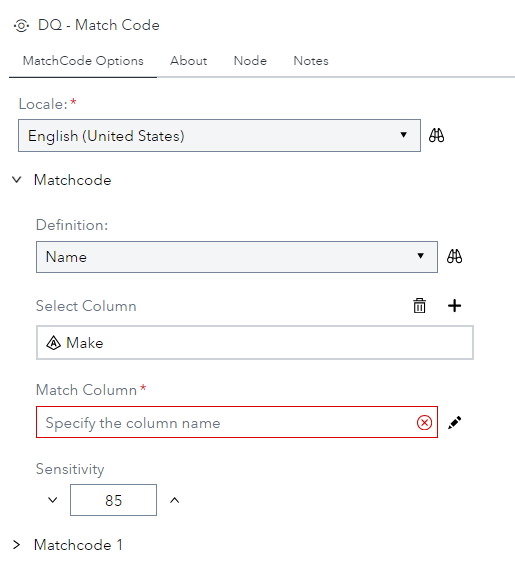
- This applies to MatchCode1 … MatchCode5
- Select Column - Defines the column to be used to compute match code.
- Match Column - Specify name of output column to contain generated match code. If left empty, a new column will be created using name of input column suffixed with _MC.
- Locale - Define Locale to be used to compute match code.
- Definition - Define the rule to be used to compute match code.
- Sensitivity - Define the Sensitivity used to compute match code.
Requirements
2023.06 or later
- This custom step requires a SAS Quality Knowledge Base (QKB) to be installed and configured. More details can be found in the documentation that is available here
Usage
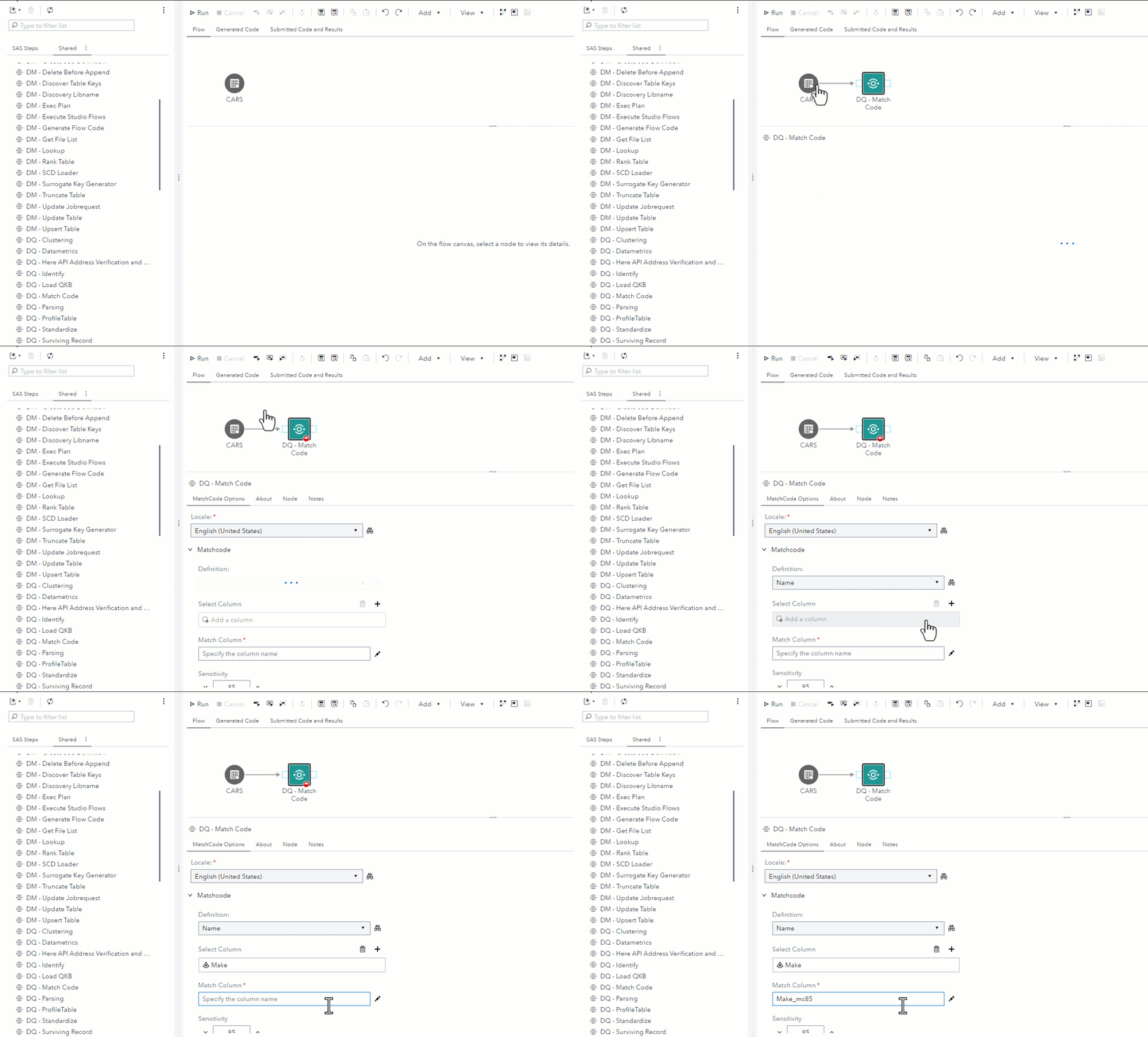
Change Log
Version 2.1 (19MAR2024)
- New match columns made mandatory
Version 2.0 (25JUL2023)
- use of the SASDQREF library to extend support to all locales defined in the QKB.
- use of hierarchical prompts and dynamic lists.
Version 1.2 (22NOV2022)
- Adds support for English - Canada (ENCAN) and French - Canada (FRCAN) locales
Version 1.1 (22SEP2022)
- Fixes execution errors when using a locale other than English - United States (ENUSA)
Version 1.0 (14SEP2022)
- Initial version