CAS - Convert Char to Varchar
ACCESS THE CUSTOM STEP FOLDER
Description
This step creates a copy of a table, and if the table has char variables with a length greater than 16, those variables are converted to varchar.
- The user can specify that the output table should be compressed and/or promoted
- The user can specify which columns of the output table should be indexed
- Existing output tables will be overwritten
User Interface
Note that this Custom Step is intended to output Cloud Analytics Services (CAS) tables. Ensure you have a connection to CAS established before running this step. References to output table names and locations below should be interpreted as referring to CAS Tables and caslibs.Options tab
| Standalone mode | Flow mode |
|---|---|
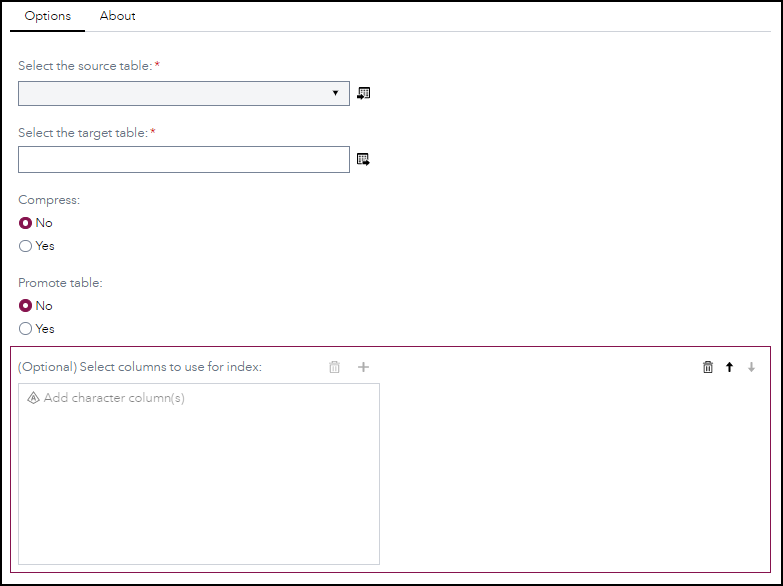 | 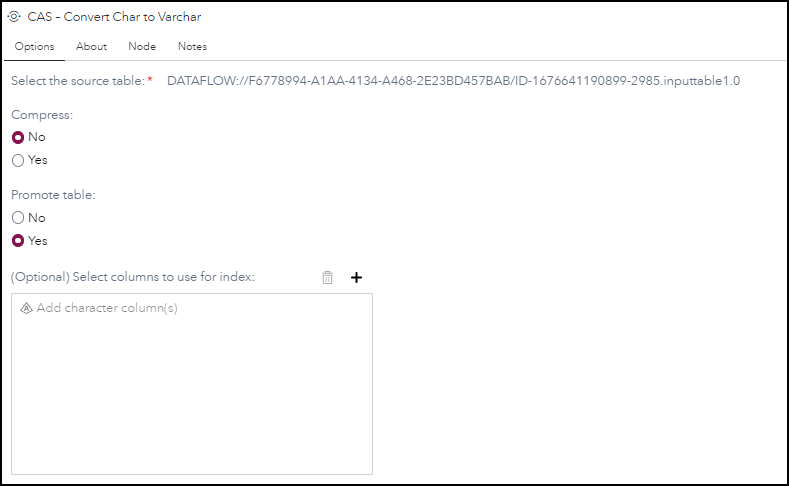 |
-
Compress - No to not compress the table, Yes otherwise
-
Promote - No to not promote the table, Yes otherwise
-
(Optional) Select columns to use for index - Provide the column(s) to create index
About tab
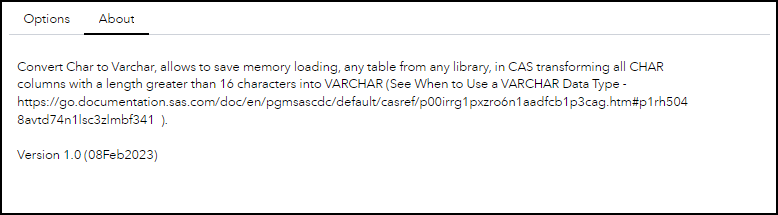
Requirements
Tested on Viya version Stable 2023.01, No specific Viya version requirements
Usage
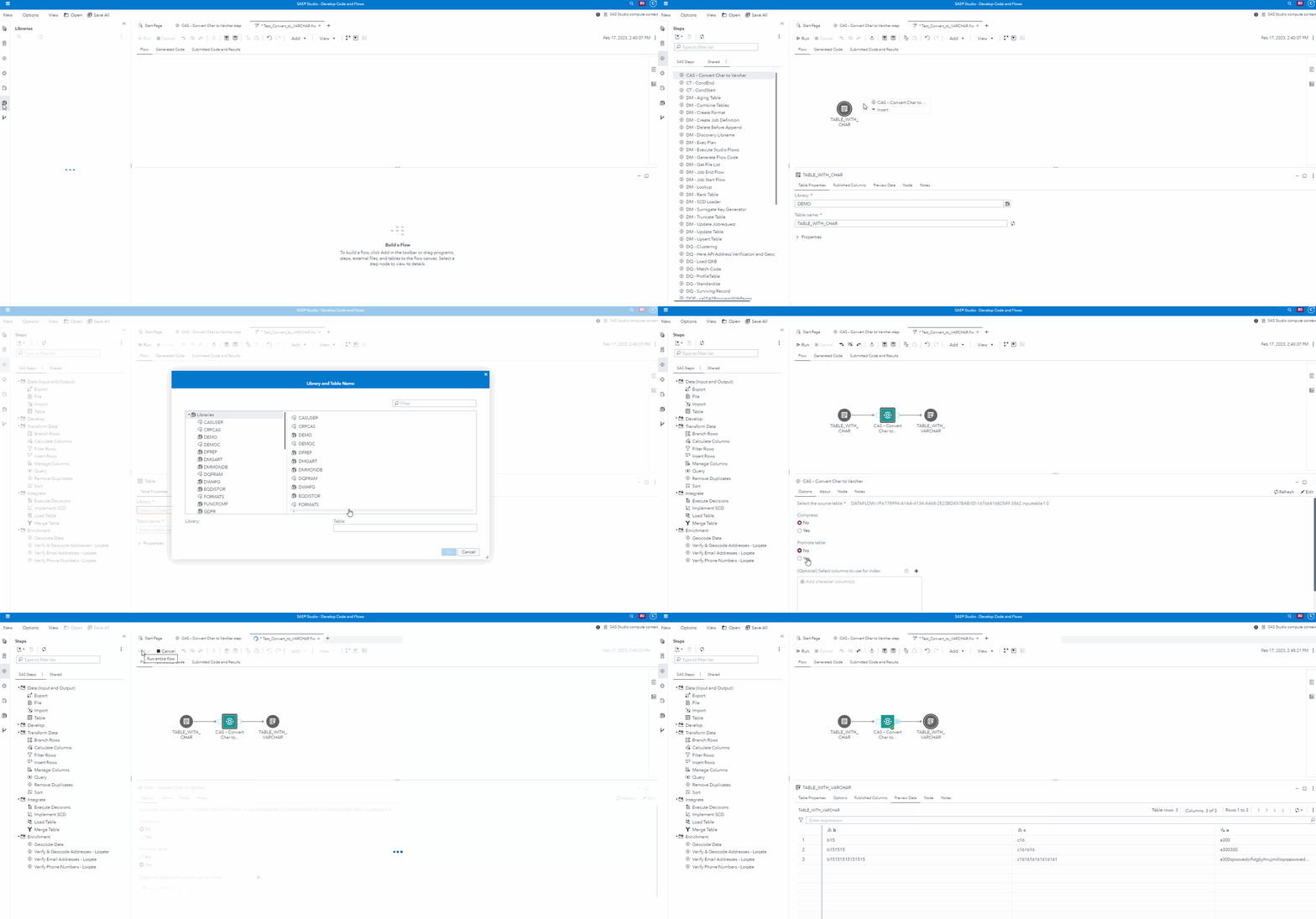
Change Log
- Version 1.1 (05SEP2023)
- Renamed slightly - removed en-dash character (UTF8: 0xE2 0x80 0x94) with normal dash character (0x2D) in name of folder/step, so all CAS-related steps show up in alphabetical order in Steps panel
- Version 1.0 (08FEB2023)
- Initial version